BizPocket
Sales · Stock · Profit · AI
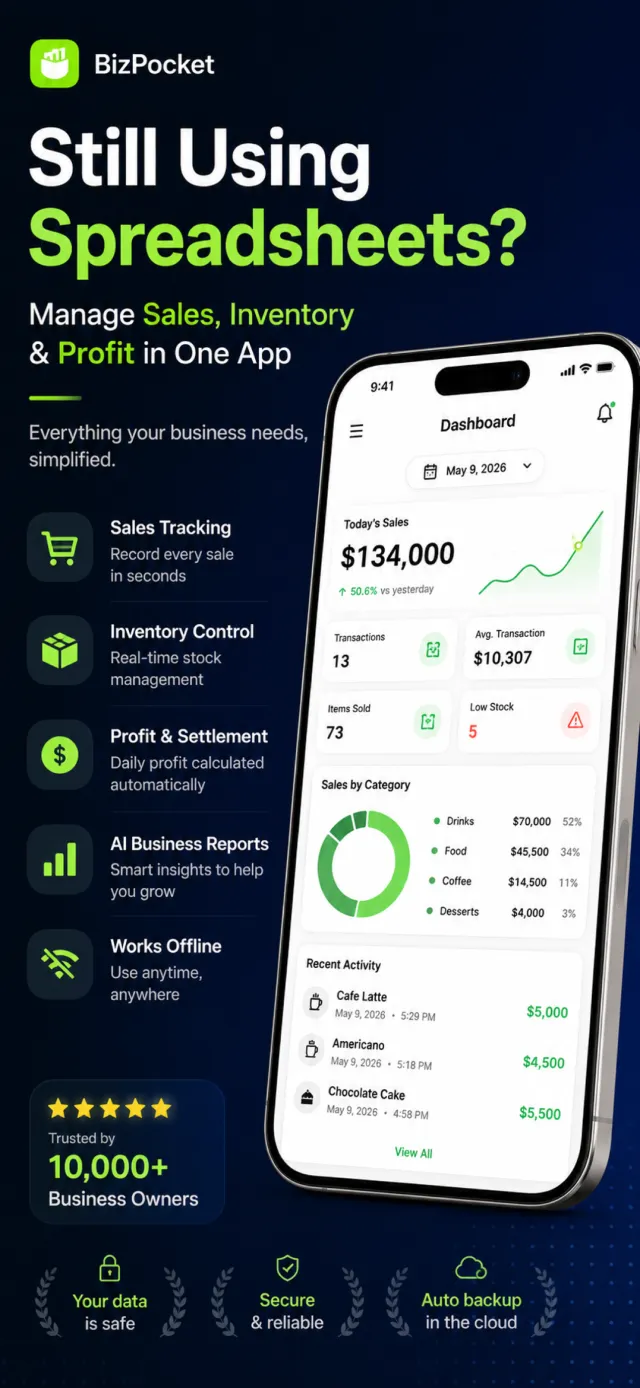
BizPocket is an all-in-one shop management tool for small-business owners and solo operators. It handles sales logging, inventory, daily settlement, and expense tracking in one app, and automates bookkeeping and data interpretation with receipt-scan OCR and AI business reports. All data lives on-device via SwiftData and syncs across devices through a CloudKit private DB, while AI analysis ships no key in the app — it calls Azure OpenAI through a dedicated FastAPI server proxy.
Small shop owners lose time juggling sales, stock, and settlement across spreadsheets or paper ledgers, and struggle to interpret what the accumulated numbers mean. BizPocket consolidates entry in one place and uses AI to auto-analyze revenue trends, peak hours, and profit structure to suggest next actions.
App preview
What it does
Sales Logging & Product Catalog
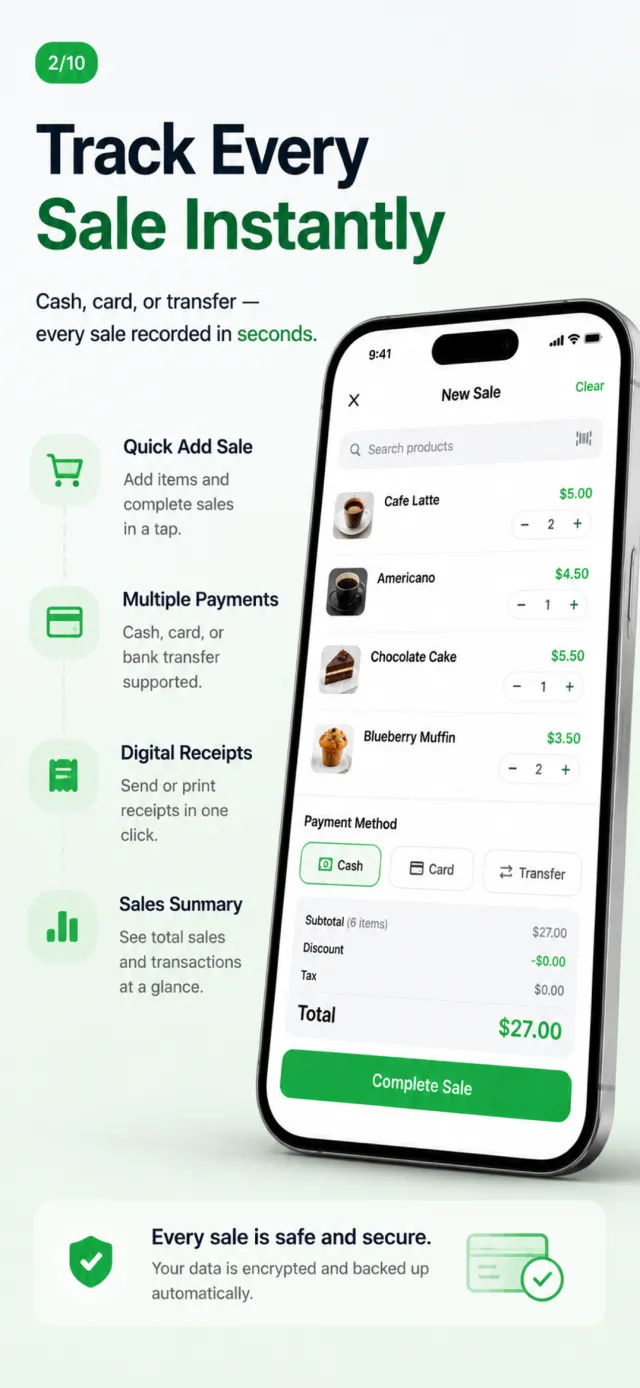
Logs per-product sales into a SalesRecord @Model with quantity, unit price, discount, tax, and payment method (card/cash/transfer/other). A registered Product catalog speeds up repeat entry; the free plan caps daily sales at 30 and products at 15.
Inventory & Stock Alerts
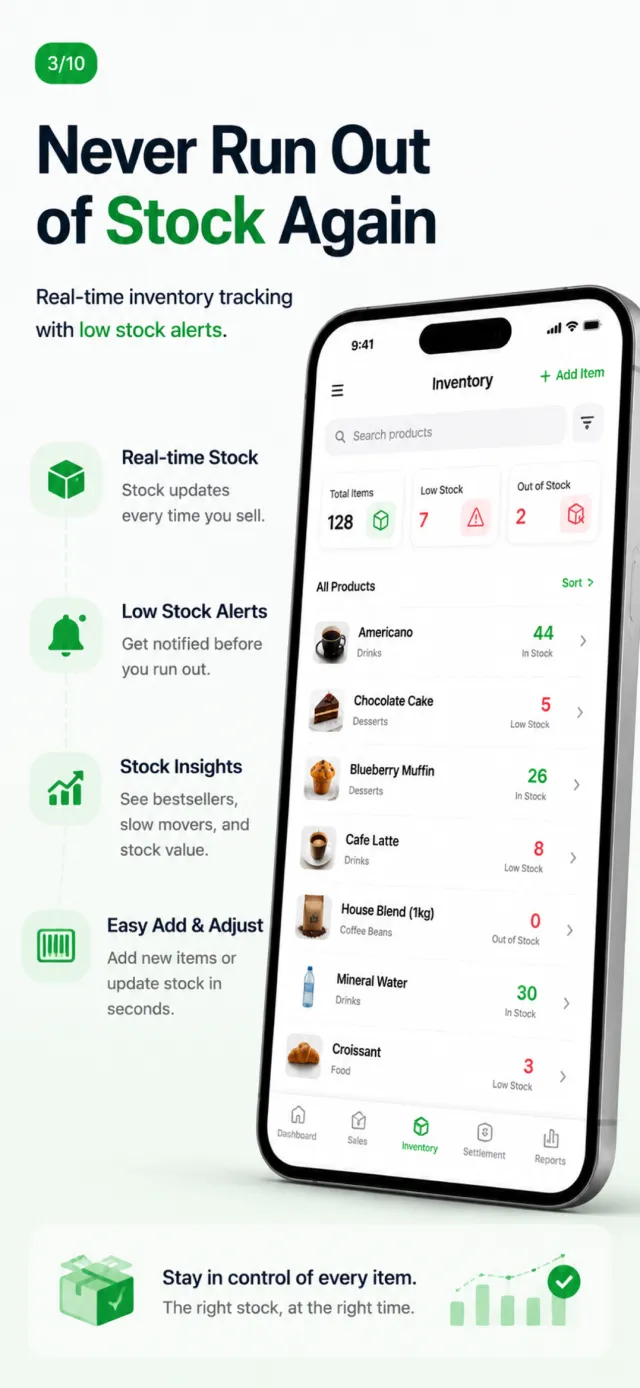
Tracks stock by in/out transactions across InventoryItem and InventoryTransaction @Models, while NotificationManager fires UserNotifications local pushes for out-of-stock and below-safety items — so reorder timing is never missed.
Daily Settlement & Cash
A DailySettlement @Model settles each day by aggregating sales and expenses per payment method and manages open/close cash. An evening reminder (default 9pm) helps owners never skip closing.
Receipt Scan OCR
Recognizes receipt photos on-device with Apple Vision's VNRecognizeTextRequest (.accurate, ko-KR + en-US), auto-extracting merchant, total, and date to prefill an expense. It runs entirely offline with no per-call cost — eliminating manual transcription.
AI Business Report (Server Proxy)
Computes sales statistics on-device first, then calls Azure OpenAI (GPT) through a dedicated FastAPI server proxy (/insights) to generate a report with summary, insights, recommendations, and risk alerts. The LLM key lives only in a server-side env var — the app sends just aggregated stats, never a key.
Chart Dashboard
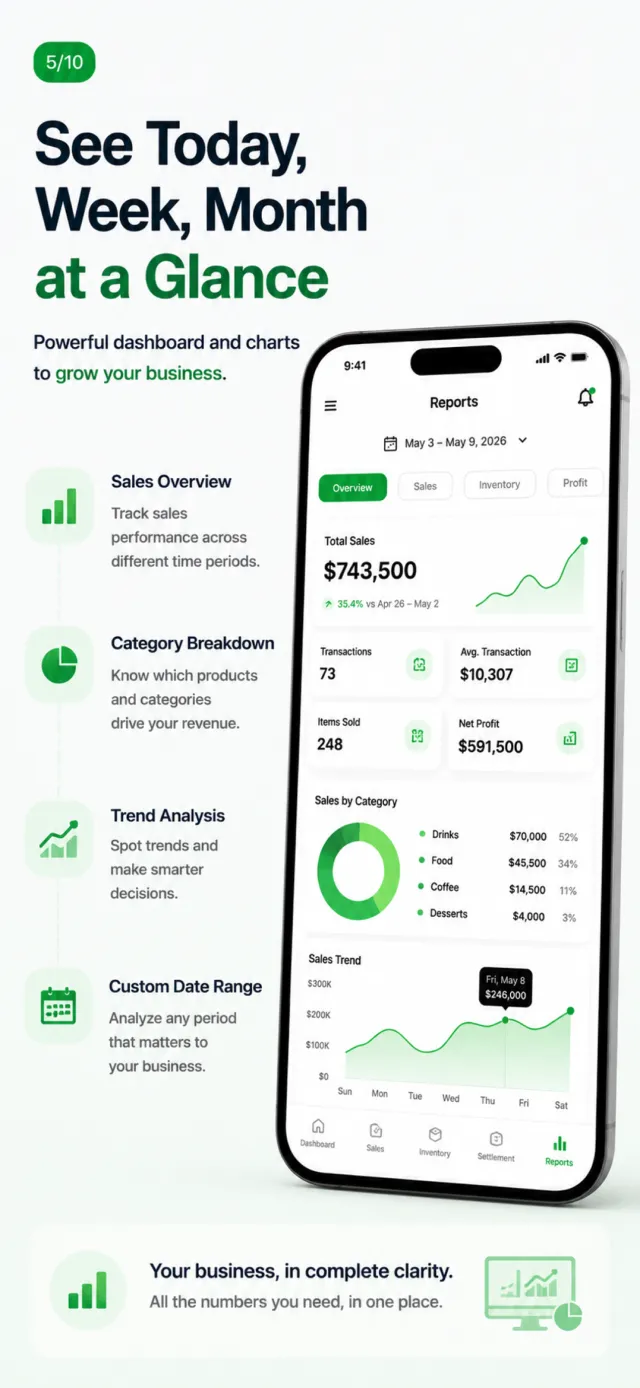
Visualizes revenue trends, category breakdowns, and peak hours with Swift Charts, with a DashboardViewModel computing per-period (day/week/month) aggregates and key metrics. Weekly/monthly charts and category analysis sit behind premium boundaries.
CSV Export
DataExportManager exports sales, expenses, and inventory each to CSV for tax and accounting use, including settlement-relevant columns like date, payment method, tax, and deductibility.
Sign-in & Data Sync
Supports Sign in with Apple and Google Sign-In, persisting the name/email Apple only sends once into the Keychain for restore on re-login. Data syncs across devices strictly within the user's own iCloud via a CloudKit private DB.
How it's built
Language
Data
AI / ML
Backend (Proxy)
Commerce
Auth
Platform
An MVVM SwiftUI app that separates View and ViewModel under feature directories and modularizes cross-cutting concerns (Design/Auth/Subscription/Receipt/Sync/Services) in a Core layer. A local-first design persists to SwiftData and syncs via CloudKit, while only the AI path routes through a dedicated FastAPI server proxy to keep the LLM key out of the app.
- 1
Models the domain with 7 SwiftData @Models (SalesRecord, Product, InventoryItem, InventoryTransaction, Expense, DailySettlement, BusinessProfile), building one Schema/ModelContainer in BizPocketApp and injecting it via .modelContainer.
- 2
Local-first with CloudKit private-DB sync (iCloud.com.junsoft.bizpocket). If the CloudKit ModelContainer fails to init, it auto-falls back to a local-only ModelContainer, staying functional offline or when iCloud is disabled.
- 3
AI reports use a two-stage pipeline: LLMService pre-aggregates stats on-device, hands off to a dedicated FastAPI proxy (/insights), and the proxy calls Azure OpenAI. The proxy base URL is injected at build time via Info.plist (ProxyBaseURL) and no LLM provider key ships in the app (the key is a server env var). On-device pre-aggregation cuts token cost and keeps numbers accurate.
- 4
The server proxy owns the security and abuse boundary: slowapi (get_remote_address) enforces IP-based rate limiting, an httpx.AsyncClient applies a 30s timeout and maps upstream errors (401/429/timeout) into stable {detail} responses, and the service is containerized with Docker.
- 5
StoreKit 2 subscription gating: SubscriptionManager tracks monthly/yearly products and subscription health (billing retry, grace period, trial days remaining), while a 9-case PremiumFeature enum declaratively manages per-feature premium boundaries (AI report, receipt OCR, CSV, weekly chart, stock alerts, unlimited entries).
- 6
Auth and credentials are isolated in Core/Auth: AuthManager handles Sign in with Apple and Google Sign-In, persisting the name/email Apple sends only once via KeychainHelper to restore sessions, while RootView branches the onboarding → login → main-tab gate.
- 7
A dedicated design system (BPColors/BPTypography/BPSpacing/BPComponents) tokenizes color, typography, and spacing in code, with shared components like BPScreenHeader, BPInsightCard, and BPCurrencyText keeping all 5 tabs consistent.
48 Swift Testing + 15 pytest
Tests
5 tabs, 77 views
Screens
7 SwiftData @Model
Data Models
iOS 17
Min iOS