
Clarity
AI Thinking & Decision Coach
An iOS thought-structuring app that turns vague worries — typed or spoken — into a structured AI analysis. It walks through problem definition, emotion analysis, objective facts, choice cards with pros and cons, best/worst/likely scenarios, and a recommended strategy. The product is a monorepo: a SwiftUI + SwiftData Clean Architecture client — built with zero external SPM dependencies, Apple first-party frameworks only — backed by a FastAPI + OpenAI service.
Complex worries that only spin inside your head get tangled with emotion, making objective judgment hard. Clarity decomposes that vague thinking into definition, emotion, facts, choices, and scenarios — and reframes it through a chosen thinking framework — so decisions become structured.
App preview
What it does
AI Thought Structuring
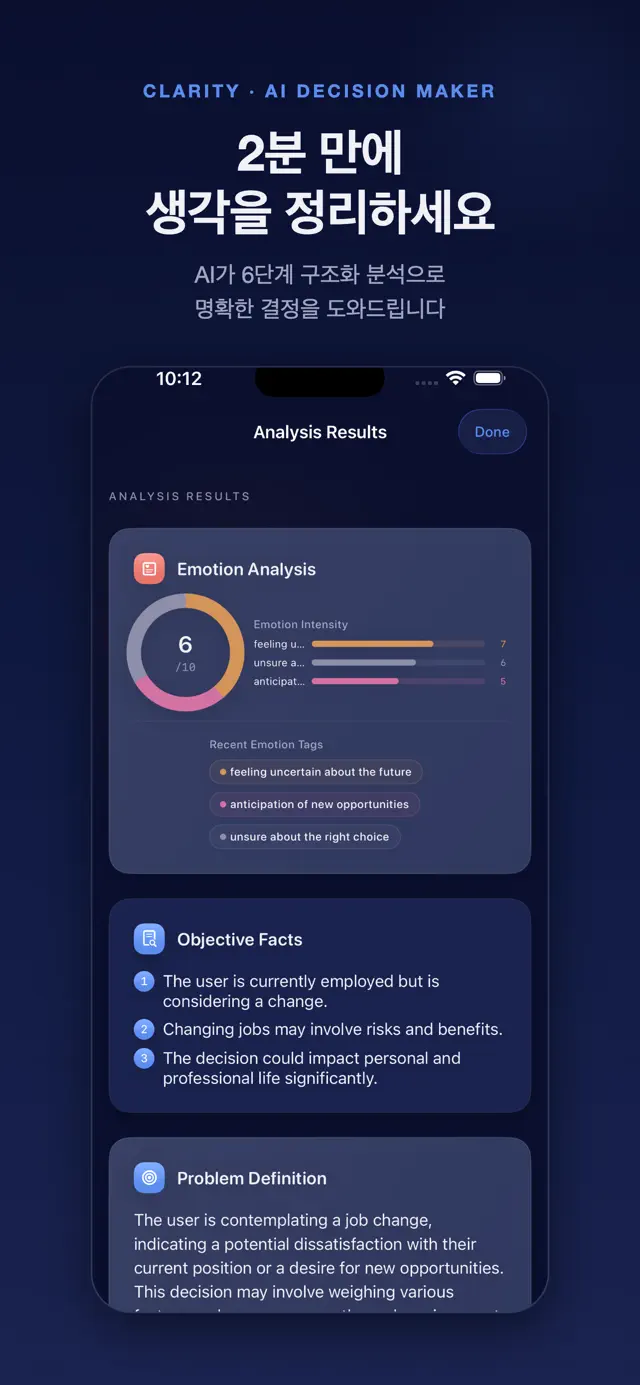
From a single input it generates a six-part analysis — problem definition, emotion, objective facts, choices, scenarios, and a recommended strategy. OpenAI gpt-4o-mini is called in JSON mode (response_format json_object) so the result always follows the same schema, then reveals phase by phase.
15 Thinking Frameworks
Choose from 15 frameworks — First Principles, SWOT, Six Thinking Hats, Eisenhower Matrix, Ikigai, 5 Whys, Pre-mortem, Regret Minimization, Second-Order Thinking, Inversion, 10/10/10, Decision Matrix and more. The backend injects a framework-specific prompt into the system prompt to re-analyze the same worry from a new angle.
Emotion Analysis
Extracts emotions from the input with type and intensity (1–10) plus an overall intensity score. Eight emotion types — joy, sadness, anger, fear, anxiety, excitement, calm, confusion — each map to a brand color, rendered as intensity bars and badges.
Choice Comparison & Scenario Forecasting
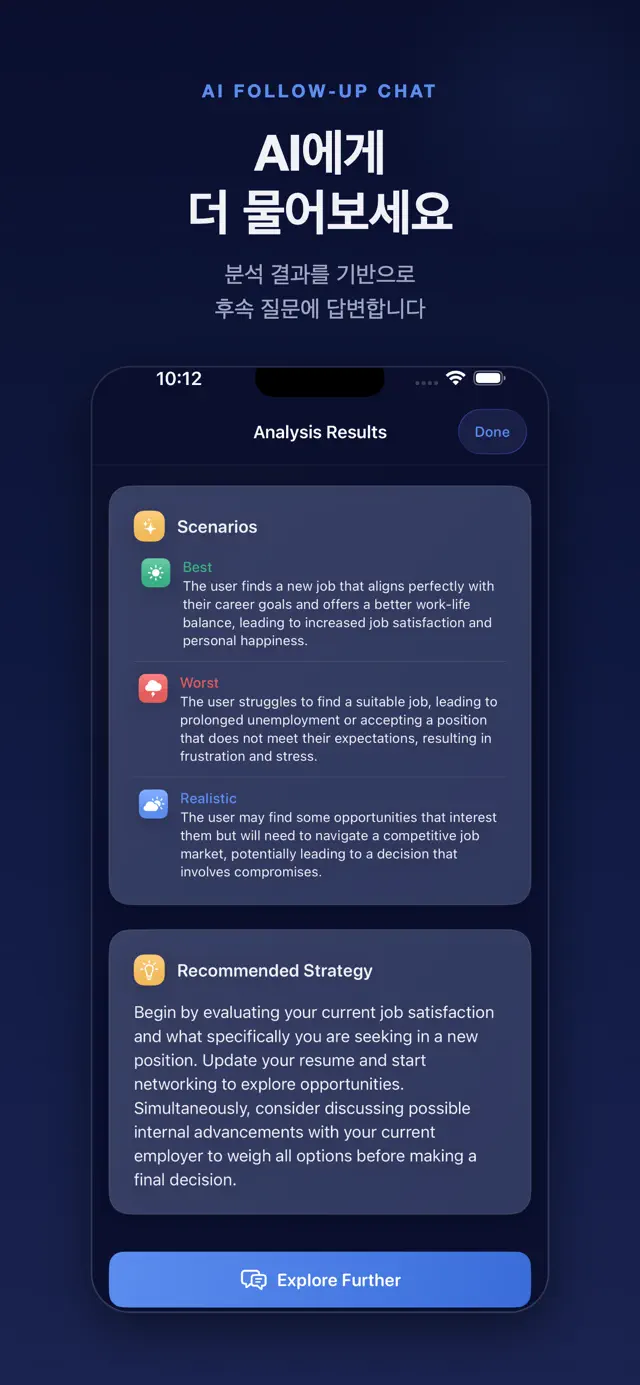
Presents 2–3 choice cards with pros, cons, and a risk level (1–10) in a horizontal scroll, starring the lowest-risk option as the recommendation. Best/worst/likely scenario cards round it out, letting users weigh a decision from multiple angles.
Voice Input & AI Follow-up
Speak your worry via Apple's Speech framework (SFSpeechRecognizer) with live partial-result transcription. After the analysis, continue a context-aware multi-turn follow-up conversation.
History & Insights Dashboard
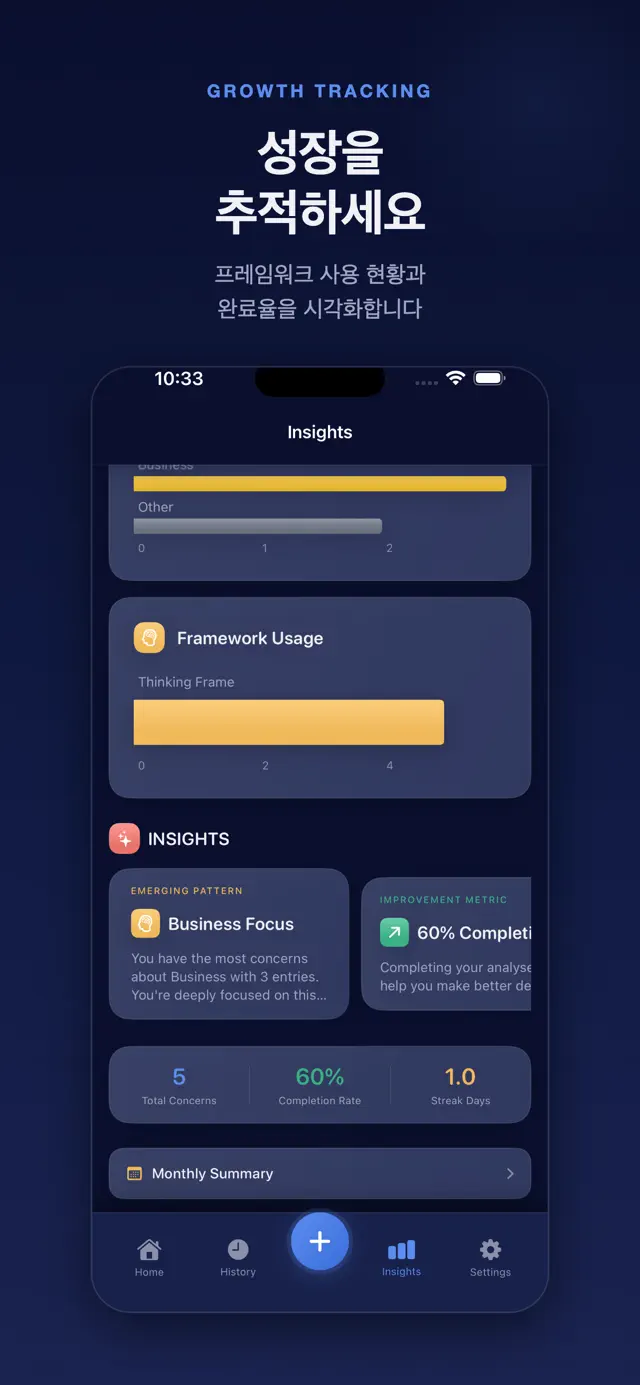
Past analyses are stored in SwiftData and surfaced through a Swift Charts decision-type chart (weekly stacked bars) and a journey timeline to review thinking patterns by category and framework over time.
Privacy-First by Design
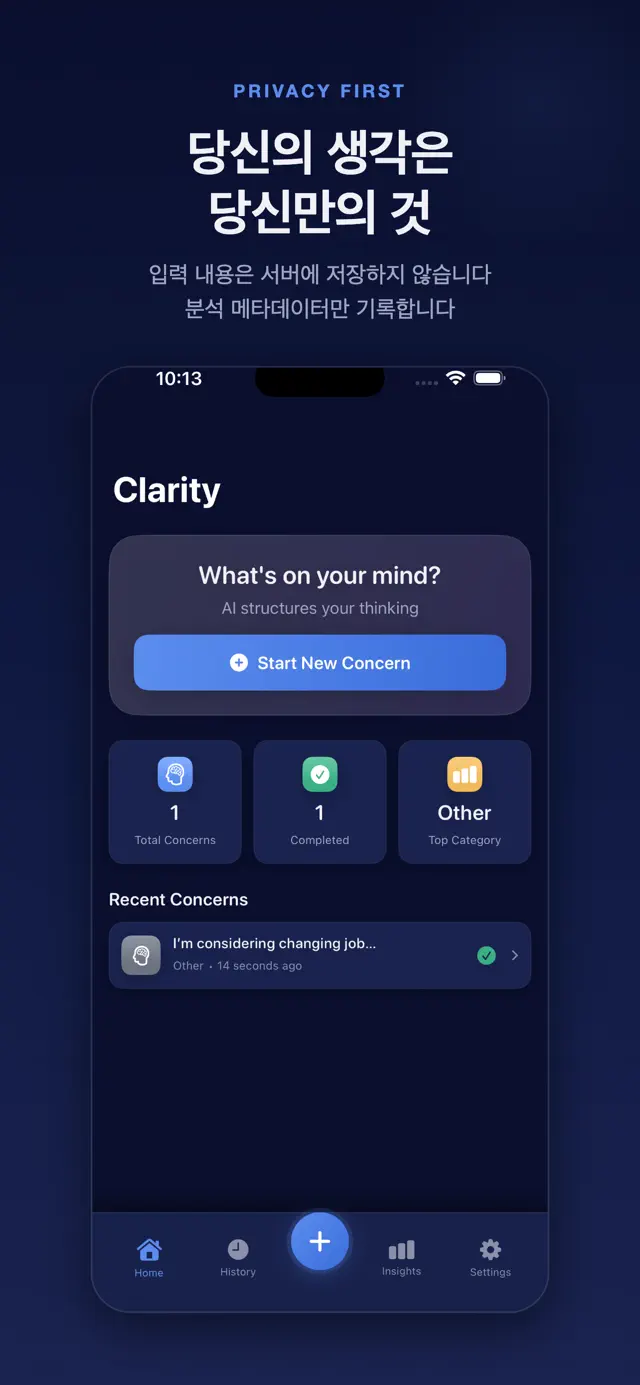
The backend never stores input content anywhere — only bucketed metadata such as input length, category, framework, and response time. A vendor-SDK-free first-party analytics layer handles allowlisted events only, and a settings opt-out toggle stops collection permanently on both client and server.
Subscription & Free Gating
StoreKit 2 monthly/yearly subscriptions are validated server-side (Apple verifyReceipt with automatic sandbox fallback), while free users are capped at 10 analyses per device per day. It also handles trial-expiry warnings (3 days, 1 day) and billing-retry / grace-period detection.
How it's built
iOS Client
Backend
AI
Auth & Security
Architecture
Tooling
The iOS client follows Presentation → Domain ← Data Clean Architecture, with a pure-Swift Domain layer that imports only Foundation — no UI or persistence frameworks. The backend is a three-layer FastAPI app (routers → services → models). Client and server live in one monorepo.
- 1
An @Observable @MainActor DI container wires six repository protocols (AI, Auth, Subscription, Speech, Session, Analytics), and the app ships with zero external SPM dependencies — Apple first-party frameworks only.
- 2
The Domain layer is pure Swift — UseCases (AnalyzeThinking, TranscribeSpeech, CheckEntitlements, ComputeInsights and more) and Entities — while repository implementations, DTOs, the APIClient, and KeychainStore are isolated in the Data layer.
- 3
Authentication uses a device-ID-based HMAC-SHA256 token kept in the Keychain and verified server-side with a constant-time compare. Tokens have a 90-day max age; on a 401 the client auto re-registers the device and retries the request once with a fresh token.
- 4
Privacy-first — the backend has no column to store analysis content at all; analysis_logs keeps only input length, category, framework, and response time. In analytics events, input length is recorded only as buckets (<50, 50-200, 200-500, 500+).
- 5
A vendor-SDK-free first-party analytics pipeline: the client buffers 14 allowlisted event types in SwiftData (flushing at a 5-event threshold, up to 50 per batch) and posts them to the /events batch endpoint, which re-validates against the same allowlist server-side.
- 6
Opt-out is stored permanently in an analytics_opt_out table, exempt from the 90-day retention purge, and re-checked inside the transaction before commit to guard against a race condition.
- 7
Freemium monetization gates StoreKit 2 monthly/yearly subscriptions via server-side Apple verifyReceipt (with automatic sandbox fallback); an in-memory rate limiter tracks the free 10/day cap through a daily_usage table and auto-downgrades the tier when a subscription expires.
407
iOS tests
138
Backend tests
226
Swift files
15
Thinking frameworks
0
External SPM deps
7
Languages