ClearSpeak
Tone & Email Writing AI
ClearSpeak is an on-device AI writing coach for non-native English professionals. It scores message tone across five dimensions against the work context (Email, Slack, LinkedIn, Presentation, Academic) and recipient (boss, colleague, client, professor, HR), flags culturally awkward phrasing, and offers three rewrite styles. On iOS 26+ the analysis runs locally through an Apple Foundation Models LLM so text never leaves the device; on earlier versions it falls back to NaturalLanguage heuristics for the same flow.
Non-native professionals often write grammatically correct English that still lands wrong—too blunt, too casual, or mismatched in formality. Phrases that feel natural in one's first language—'kindly revert', 'do the needful', 'respected sir'—can read as awkward or confusing in American business English. ClearSpeak checks tone and cultural fit before you hit send, reducing those misreads.
App preview
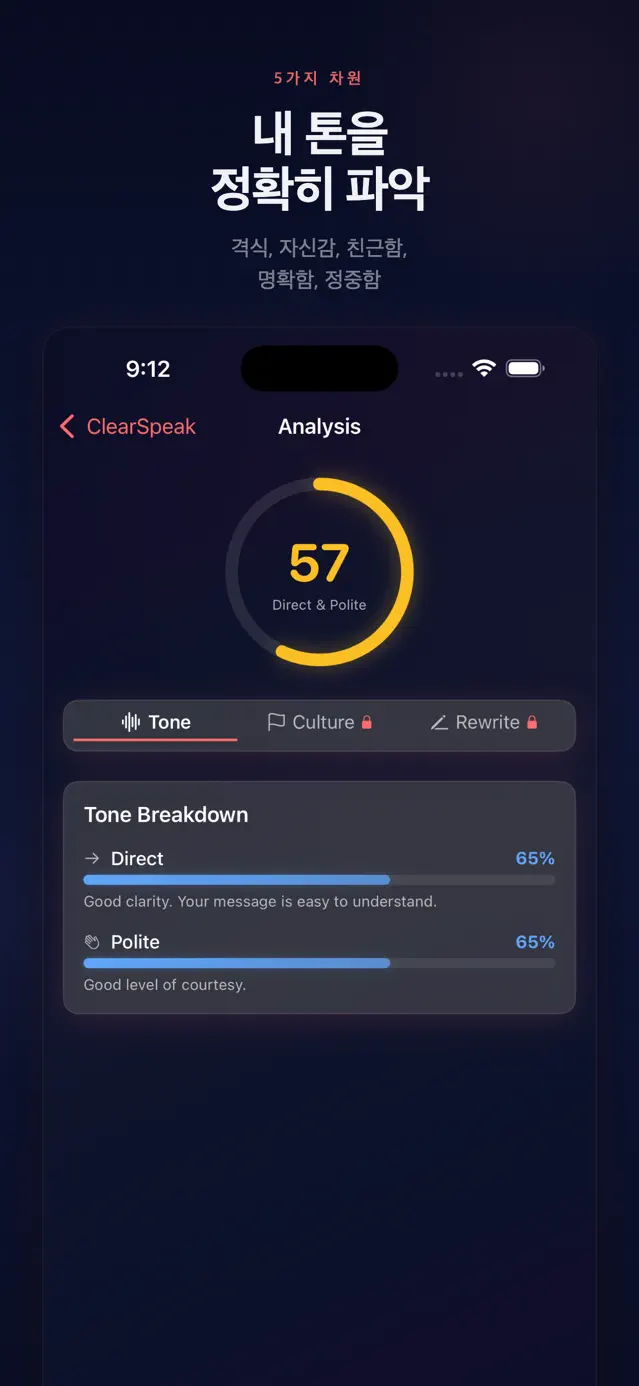
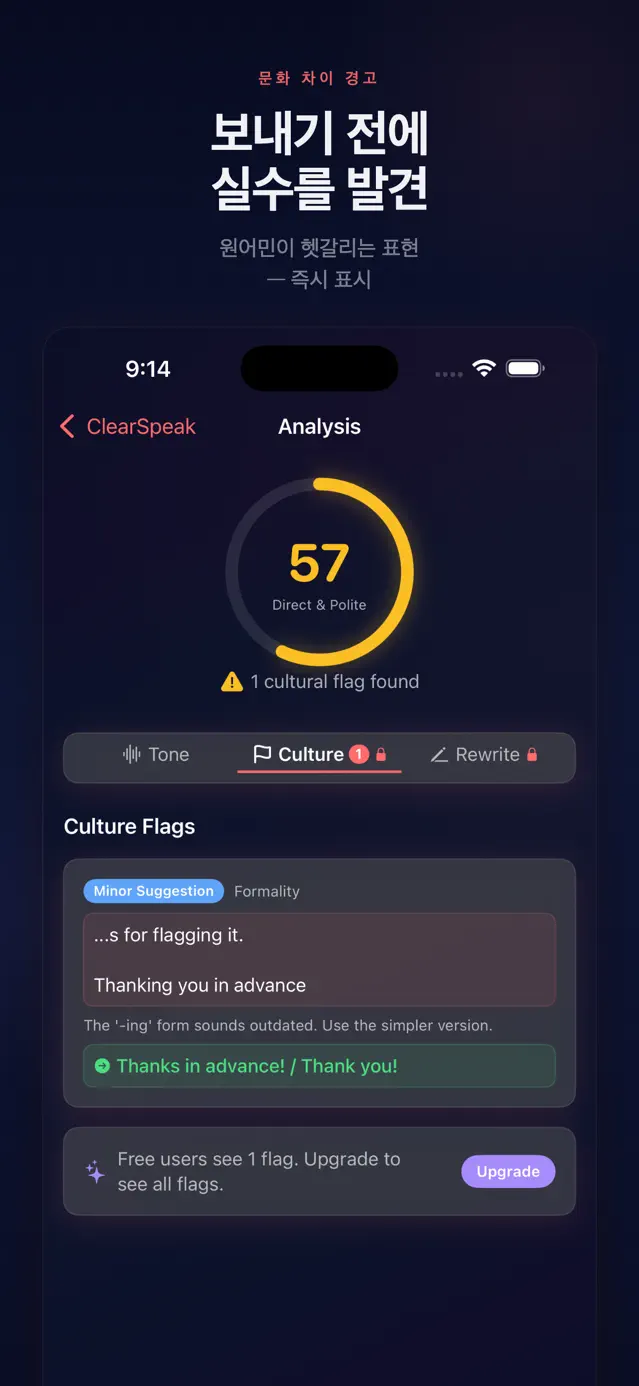
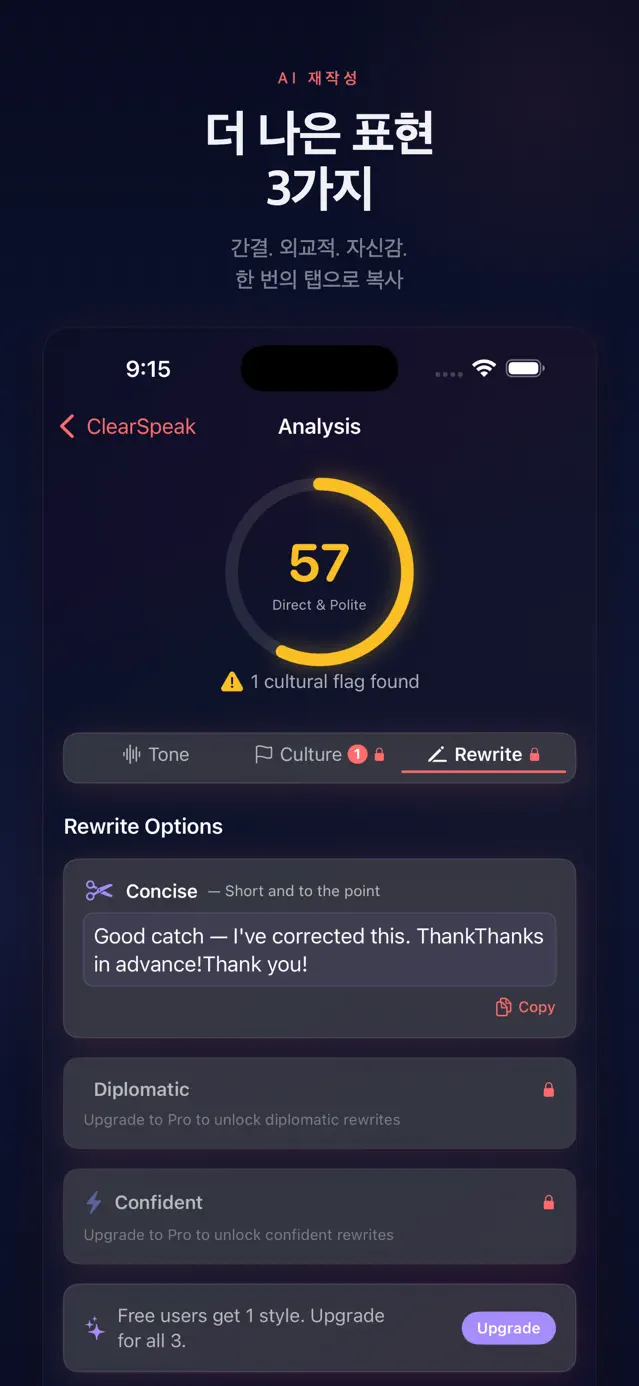
What it does
Five-Dimension Tone Analysis
An actor-based ToneAnalyzer combines NaturalLanguage sentiment scoring, sentence segmentation, and heuristics to rate five dimensions—Formal, Confident, Friendly, Direct, Polite—on a 0–100 scale, then derives an overall score and one-line feedback weighted by the recipient's expected formality.
Culture Check
A CultureChecker actor merges rule-based patterns from a CulturePatternDatabase (e.g. 'kindly revert', 'do the needful') with contextual rules (missing greetings, over-bluntness or over-formality), weighting by the writer's native language, then grades each fix by severity (Should Fix / Consider / Minor) with suggested wording.
Three-Style Rewrites
A RewriteGenerator actor first applies the detected culture-flag fixes, then rewrites the original into Concise, Diplomatic, and Confident rule-based variants so you can pick the right tone and copy it instantly.
On-Device LLM Analysis
On iOS 26+, a FoundationModelService sends a structured prompt to a LanguageModelSession and decodes the tone and culture results from JSON, injecting the writer's native-language hint so it accounts for first-language-to-English patterns. All processing stays on the device.
Voice Rehearsal
Records spoken rehearsals and transcribes them with a SpeechService built on SFSpeechRecognizer and AVAudioEngine, computing SpeechMetrics—words per minute, filler words, long pauses, clarity—and grading pace, clarity, and confidence.
Conversation Simulator & Industry Packs
A SimulatorViewModel role-plays five scenarios for pre-meeting practice with instant per-message feedback, plus situation-phrase and culture-pattern libraries (IndustryPackData) for four industries: Tech, Healthcare, Legal, and Finance.
Keyboard, Share & Widget Extensions
A UIInputViewController custom keyboard surfaces a live tone indicator once you type 5+ words (RequestsOpenAccess), a Share Extension captures selected text or URLs from other apps and hands them to the main app via a URL scheme (clearspeak://), and a WidgetKit widget reads analysis count, average score, and remaining free uses from the App Group's shared UserDefaults.
Personalization, Streaks & Reports
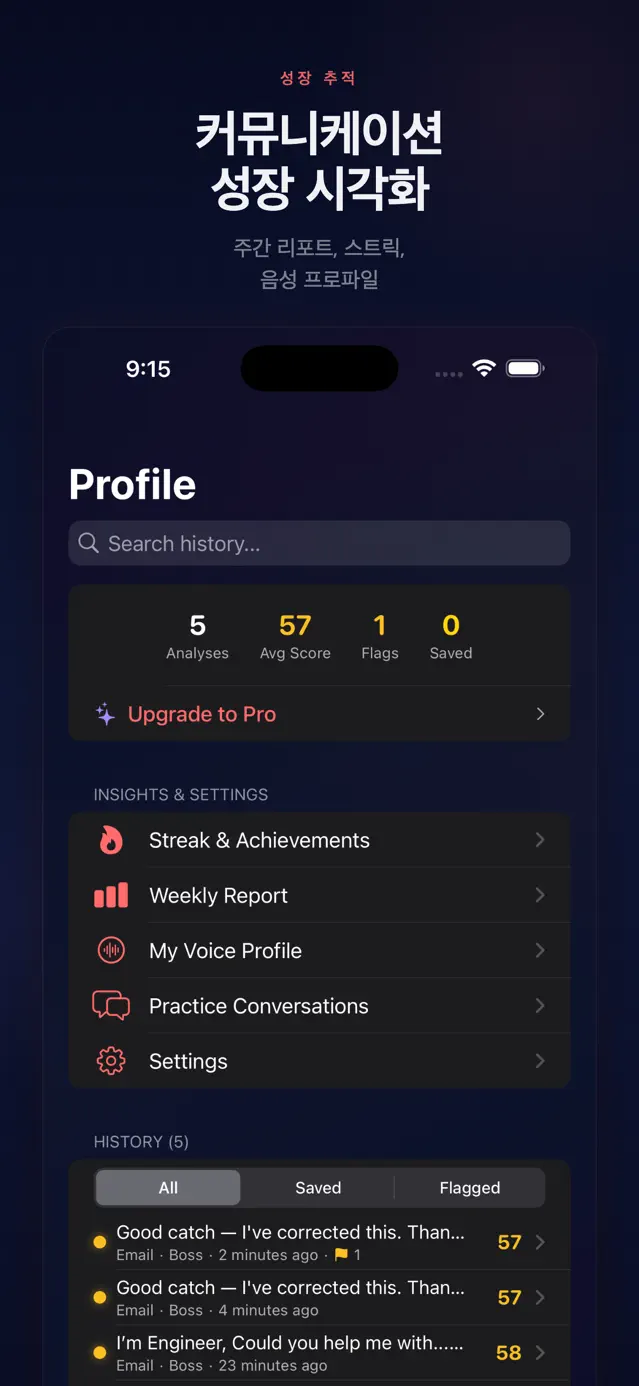
A VoiceProfileService learns the user's average tone, sentence length, and frequent phrasing via running averages on each analysis, a StreakService tracks daily streaks and milestone badges, and a PDFKit-based PDFReportService exports weekly and monthly reports to PDF. CoreSpotlight indexing makes past analyses searchable from the home screen.
How it's built
Language & UI
On-device AI
App Extensions
Persistence & Sharing
Platform Services
Tooling
A SwiftUI clean architecture split into Core (Engine, Models, Services) and Feature modules. An actor-based AnalysisEngine orchestrates analysis: when Foundation Models is available it runs the on-device LLM and heuristics in parallel and prefers the LLM result, otherwise it gracefully falls back to NaturalLanguage heuristics.
- 1
On-device first with fallback: the AnalysisEngine actor runs FoundationModelService alongside the ToneAnalyzer and CultureChecker heuristics in parallel via async let, converting and preferring the LLM output but substituting the heuristic result when it is nil, so it works on every device.
- 2
Four-target multi-extension layout: the main app plus three app-extension targets (Keyboard, Share, Widget) exchange data through the App Group's shared UserDefaults (group.com.junsoft.clearspeak), with a WidgetDataService syncing the main app's stats to the widget.
- 3
Concurrency-safe design: under Swift 6 strict concurrency, the analysis pipeline is built from actors (AnalysisEngine, ToneAnalyzer, CultureChecker, RewriteGenerator, FoundationModelService) while UI and state services are @MainActor @Observable classes.
- 4
SwiftData persistence: @Model types AnalysisRecord and UserProfile store analysis history and user settings, with ToneResult, CultureFlag, and rewrites JSON-encoded into each record and indexed for search via CoreSpotlight.
- 5
Subscription gating: a StoreKit 2 SubscriptionService tracks monthly and yearly Premium (com.junsoft.clearspeak.monthly/yearly) plus billing-retry and grace-period state, while a UsageLimiter enforces a free tier of 5 analyses/day using a timezone-safe integer day comparison.
- 6
On-device personalization (no external transfer): a VoiceProfileService updates average tone dimensions, average sentence length, and formality preference via running averages and keeps frequent phrasing by top frequency (capped at 500), all stored locally.
- 7
Platform integration layer: App Intents power a Siri shortcut, ActivityKit drives a progress Live Activity, PDFKit generates reports, and UserNotifications schedules daily reminders—each modularized under Core/Services.
140
Tests (Swift Testing)
3
App extension targets
12+
Native-language hints
5
Tone dimensions
5
Communication contexts
4
Industry packs