DocForge
NDA, Contracts & Lease in 5min
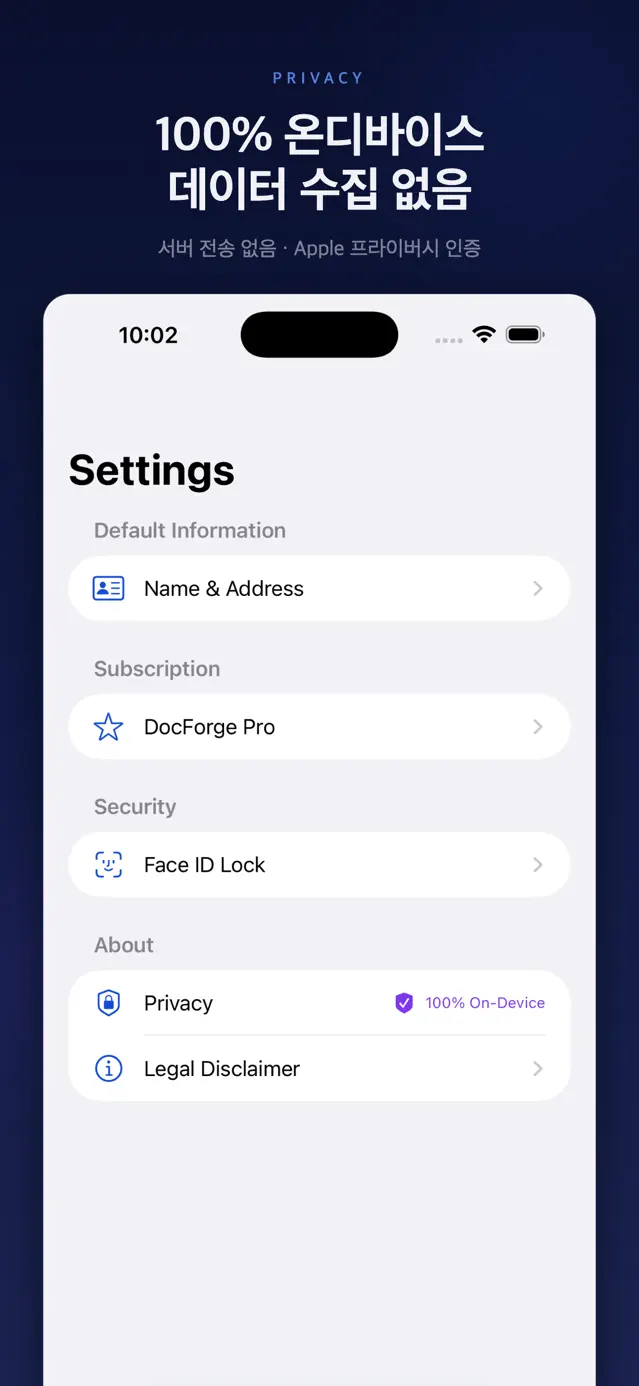
DocForge is an iOS app that drafts professional legal documents — NDAs, freelancer agreements, residential leases, and more — by guiding you through plain questions, then renders them as signature-ready Times New Roman PDFs. Apple's on-device Foundation Models do the drafting, and inference, SwiftData storage, and PDF rendering all run 100% on the device, so no data ever leaves the phone.
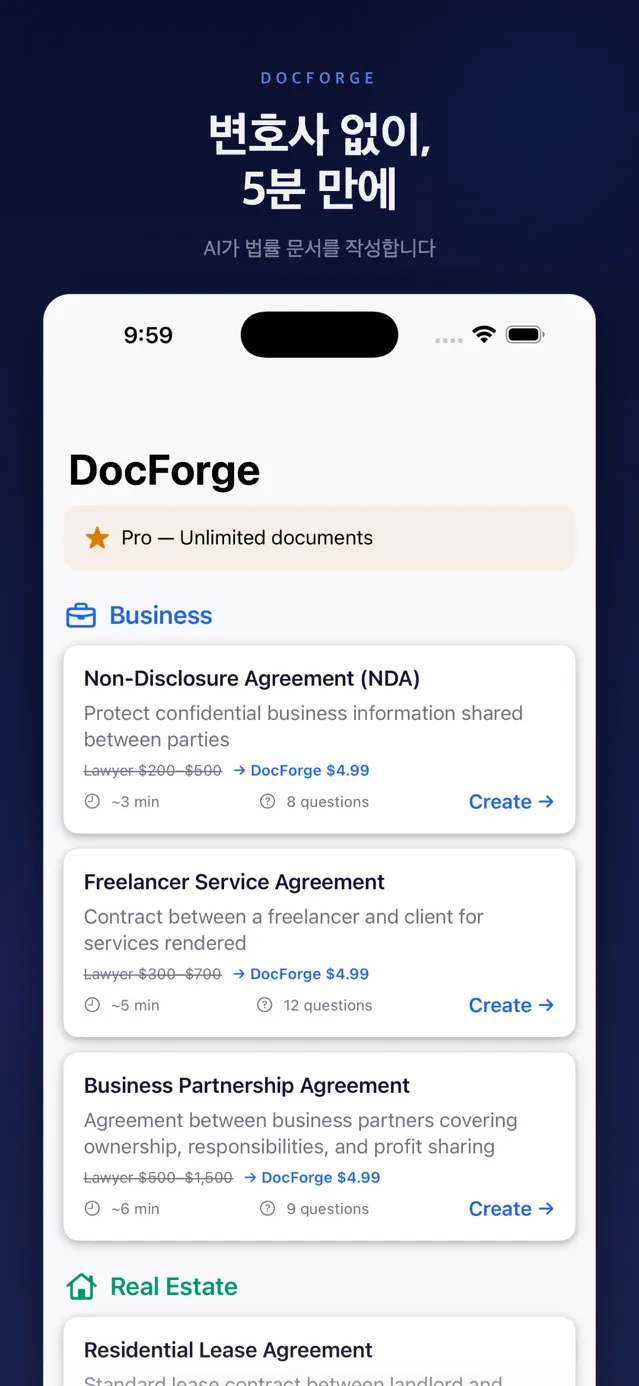
A simple contract from a lawyer can cost hundreds of dollars and take days — too much for most freelancers, small businesses, and landlords who just need a solid first draft. DocForge focuses on creating documents (not analyzing existing ones), letting anyone produce a needed legal document in about five minutes. Each template surfaces the equivalent lawyer cost range ($200–$1,500) so the savings are explicit.
App preview
What it does
Guided Q&A Drafting
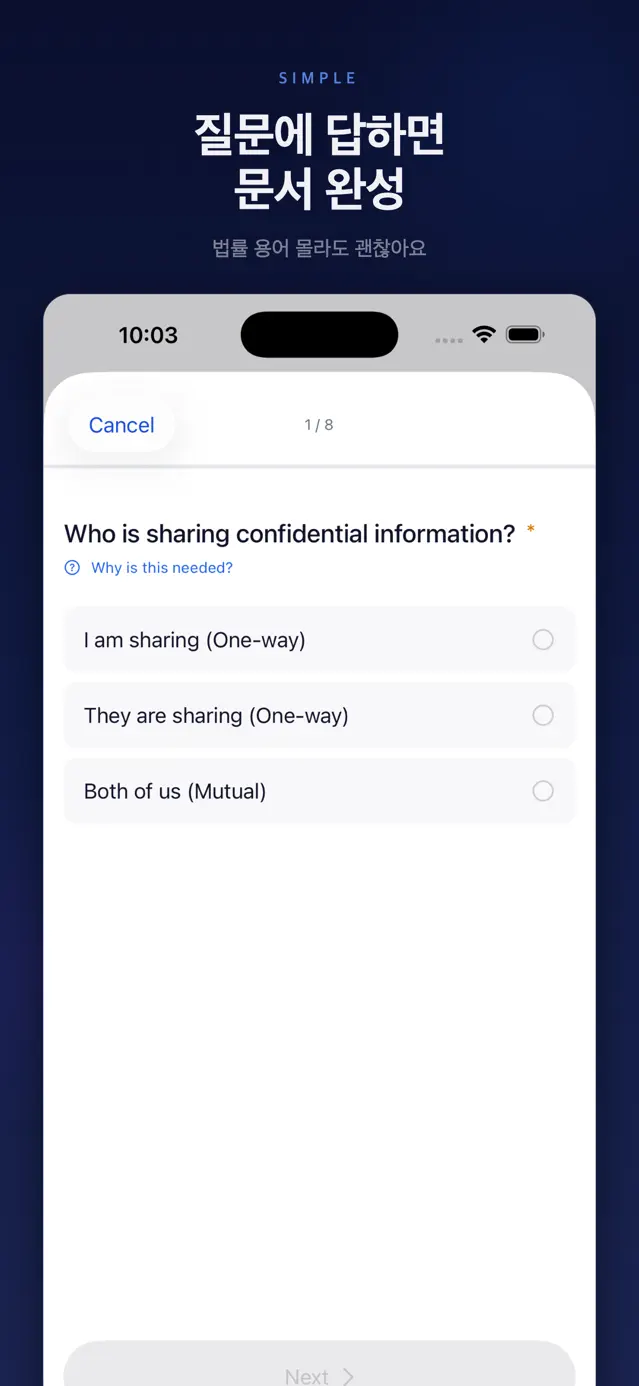
Answer one guided question per screen and your responses are turned into structured legal clauses. Seven QAInputType cases (text, selection, multiSelect, currency, date, longText, state) each have a dedicated input screen — currency uses a numeric keypad, dates a DatePicker, and US state a 50-state picker — to reduce input errors.
On-Device AI Authoring
User answers and the clause framework are fed to Apple Foundation Models' LanguageModelSession, which generates each clause's title, formal legal text, and plain-English explanation on-device against the @Generable AIDraftedDocument schema. It checks SystemLanguageModel availability first and falls back to the rule-based TemplateBasedGenerator automatically when AI is unavailable or fails.
Rule-Based Fallback Generator
So documents still generate on iOS 18–25 without AI, per-template-ID generators (NDA, freelancer, lease, independent contractor, roommate, partnership, demand letter) assemble answers into real legal prose. Clause content branches on inputs — mutual vs. one-way NDA, conditional IP-ownership and non-compete language, and dynamically generated roommate signature blocks.
Professional PDF Export
UIGraphicsPDFRenderer produces legal-standard PDFs at US Letter size (612×792pt) with 1-inch margins and Times New Roman body text (TimesNewRomanPS-BoldMT/PSMT). boundingRect-based pagination prevents clauses from being cut off across page breaks, and every page footer auto-inserts a page number plus a 'not legal advice' disclaimer, ready to share or print.
On-Device Vault with Biometric Lock
Generated documents persist locally as a SwiftData DocumentModel (answer JSON, generated body, PDF Data, expiration date) and are re-openable from a vault. BiometricLockService supports Face ID, Touch ID, and Optic ID via LocalAuthentication, and locks immediately when the app moves to the background by observing scenePhase.
Profile Autofill
Save core details once in UserProfileModel (name, company, address, email), and the question schema's defaultFromProfile mapping auto-fills recurring party fields to cut input time. The same profile also tracks the free-tier usage counter and disclaimer-consent state.
7 Legal Document Templates
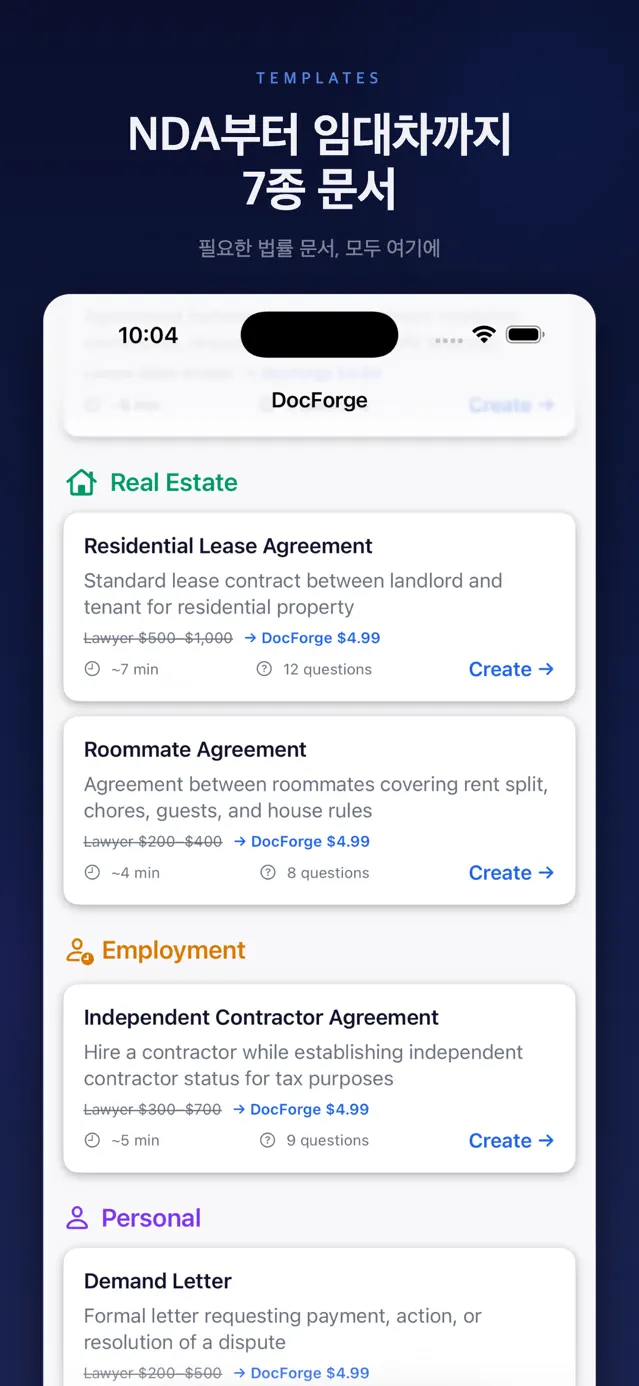
Ships NDA (1 free per month), freelancer service agreement, business partnership agreement, residential lease, roommate agreement, independent contractor agreement, and demand letter across four categories: Business, Real Estate, Employment, and Personal. Each template defines 8–12 questions, a 3–7 minute estimate, and a lawyer-cost range in its JSON metadata.
Per-Document & Subscription Billing
A StoreKit 2 PurchaseService supports both a single-document consumable ($4.99) and the 'DocForge Pro' subscription group's monthly ($12.99) and annual ($99.99) tiers. It tracks status via Transaction.updates and currentEntitlements, and detects billingRetry, grace period, and remaining free-trial days to surface billing problems.
How it's built
Language
UI
On-Device AI
Persistence
Document
Payments
Security
Platform
Testing
Combines MVVM with Clean Architecture, separating Domain (entities, use cases, repository protocols), Data (SwiftData models, AI and rule-based generators, PDF renderer), and Presentation (SwiftUI views, QAFlowViewModel). It spans 54 Swift files and 14 screens, and everything runs on-device with no server dependency.
- 1
Fully on-device — Foundation Models inference, SwiftData storage, and PDFKit rendering all happen locally with no network calls, satisfying the App Store 'Data Not Collected' privacy label.
- 2
Protocol-driven generator abstraction — every generator implements DocumentGeneratorProtocol, and DocumentGeneratorFactory checks both compile-time canImport(FoundationModels) and runtime #available(iOS 26) to choose AIDocumentGenerator or TemplateBasedGenerator.
- 3
AI-first with an auto-fallback wrapper — AIWithFallbackGenerator attempts AI generation first, logs the reason via os.Logger on failure, and falls back to the template generator behind the same interface, so callers never reason about AI availability.
- 4
Schema-enforced output quality via Guided Generation — @Generable AIClause/AIDraftedDocument with @Guide descriptions constrain each clause's title, body, and plain-English explanation at the schema level, while system instructions enforce no-markdown, a ~1,500-char cap, and 'only the requested clauses' for consistent LLM output.
- 5
Data-driven templates — the 7 documents are defined as bundled JSON (questions, clause framework, category, time estimate, lawyer cost) rather than classes, decoded and loaded by BundleTemplateRepository, minimizing code changes to add a new document type.
- 6
Purchase gating plus subscription health — the StoreKit 2 PurchaseService unifies consumable purchases, monthly/annual subscriptions, and a one-free-document-per-month counter (auto-reset on month change) into an AccessLevel (free/pro/needsPurchase) that gates generation, and detects billingRetry and grace-period states.
- 7
Built-in legal compliance — a disclaimer banner and a consent gate (DisclaimerConsentView) across the app, plus a 'not a substitute for professional legal advice' notice on every page of every generated PDF, designed to align with App Store Guideline 5.2.5.
7
Document templates
7
Input types
65
Tests
54
Swift files
7
Languages
0 (on-device)
Data collected